1XBET account, where the promo code field sits and how to enter XPUMP correctly
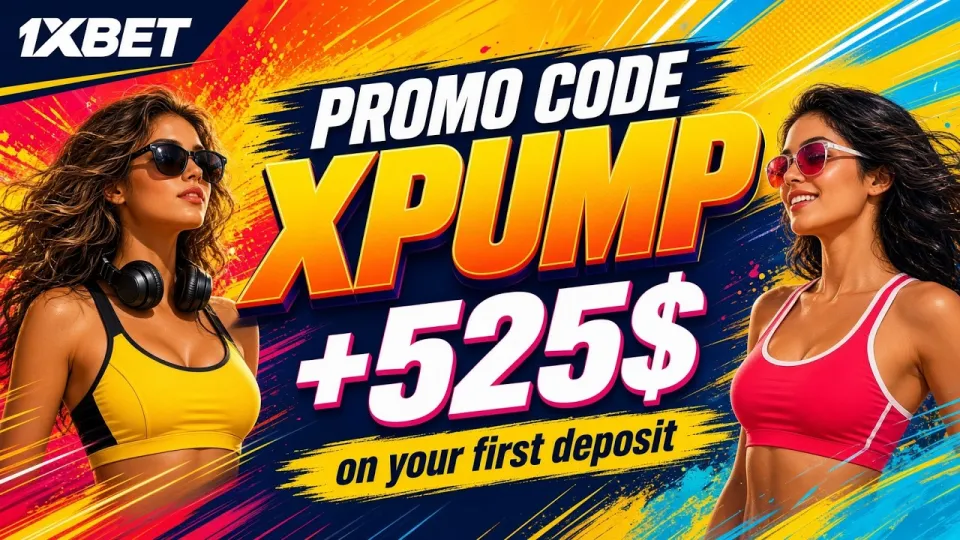
Video: 1XBET ACCOUNT: How to Enter a Promo Code XPUMP Correctly
· based on the channel Lucky Crown
The promo code field in a 1XBET account is a single text box that appears in the registration form and, for existing users, in the account settings; typing XPUMP there and pressing confirm attaches the code to the account and unlocks the advertised first-deposit bonus, which the channel Lucky Crown presents as +525$ on the first deposit via this 1XBET registration and bonus page. The step that most people get wrong is not the code itself but the field it goes into and the moment it is confirmed.
What the 1XBET account promo code field actually does
A promo code in a 1XBET account is a marker stored on the profile, not a coupon you paste at checkout. Once it is saved, the account is flagged as having arrived through a promotional offer, and the bonus conditions are applied to the first deposit that follows. That is why the field appears in two places: during registration, where it sits among the personal details, and later in the account area for anyone who signed up without one. The code XPUMP is the string used in the Lucky Crown walkthrough; the same field accepts any other valid promotional string, so the mechanics do not change from code to code. What matters is that the code is entered before the first deposit is made, because a settled first deposit closes the window.
How to enter the XPUMP promo code step by step
Entering the code takes less than a minute if the sequence is followed in order. The steps below match the flow shown in the Lucky Crown breakdown.
- Open the 1XBET registration form, or log in and go to the account settings section where personal data is edited.
- Locate the field labelled as a promo code — it is a plain text input, not a dropdown, so nothing needs to be selected from a list.
- Type XPUMP exactly as four capital letters, with no spaces before or after.
- Check that the field shows the code and not an autocomplete suggestion from the browser.
- Press the confirm or register button so the form is submitted; a code typed but not submitted is not saved.
- Verify afterwards in the account area that the code is displayed as applied.
If the field clears itself after submission, the entry was rejected and the code needs to be re-typed rather than assumed to be active.
Letter case, spacing and other reasons a code gets rejected
Most rejections come from formatting rather than from an invalid code. 1XBET forms generally normalise letter case, so xpump and XPUMP are treated the same, but invisible characters are not normalised: a space copied along with the code, a non-breaking space from a web page, or a hyphen typed between letters will all cause a mismatch. Mobile keyboards add their own problems — autocorrect may capitalise the first letter and swap the rest, and predictive text may replace the string entirely. The reliable method is to type the four characters manually, check the cursor position at both ends of the field, and only then submit. Copying from a chat message or a video description is the single most common source of a stray character.
Why the code must be applied before the first deposit
The promo code and the first deposit are linked, and the order cannot be reversed. A code attached to an account after a deposit has already been credited does not retroactively change the terms of that deposit; the bonus mechanics apply to the qualifying deposit that follows the code being saved. This is why the practical advice is to enter the code at registration, before any money moves, and to confirm it is visible in the account before funding the balance. The offer advertised alongside XPUMP is described as +525$ on the first deposit, and the amount actually credited depends on the size of that deposit and the current terms attached to the code, which are shown on the promotional page rather than in the account itself.
Common questions about the promo code and the account
A few doubts come up repeatedly among viewers of the walkthrough. The first is whether the code can be added twice — it cannot; one code per account, and a second entry either overwrites the first or is refused. The second is whether an existing account can still use it — yes, through the settings field, provided no qualifying deposit has been settled yet. The third is what to do when the code appears accepted but no bonus shows: the bonus usually appears only after the qualifying deposit is made, so an empty bonus section before funding is normal. The fourth is whether the code changes the odds or the betting markets — it does not; it affects the welcome offer only, and the rest of the account works exactly as it would without a code.
Where to find the code and the offer terms
The code and the conditions attached to it live in one place: the promotional page linked from the video, https://surl.li/1bn. That page is where the current first-deposit figure, the minimum qualifying amount and any wagering requirements are stated, and those terms can change, so the page is worth checking on the day of registration rather than relying on a figure remembered from an earlier video. The code string itself — XPUMP — is the part that stays fixed and is what gets typed into the account field.
Summary
The 1XBET account promo code field is a small text box with outsized consequences: XPUMP typed there before the first deposit unlocks the advertised +525$ welcome offer, while a code typed after funding or with a stray space does nothing at all. The sequence is simple — open the field, type four letters, confirm, verify in the account, then deposit. The breakdown on the Lucky Crown channel walks through that sequence on screen, and the 1XBET promo page for code XPUMP is where the current terms are confirmed before any money is deposited.
Key takeaways
- The promo code field in a 1XBET account accepts the code XPUMP during registration or from the account settings after sign-up.
- The code XPUMP is tied to a first-deposit offer advertised as +525$ on the first deposit.
- Letter case is irrelevant on most 1XBET forms, but leading or trailing spaces, or a hyphen instead of the code, cause the field to reject the entry.
- A promo code can only be applied once per account and only before the first deposit is settled.
- After confirmation the account page should show the code as active; if it does not, the entry was not saved.
Source: 1XBET ACCOUNT: How to Enter a Promo Code XPUMP Correctly · Markdown version
Questions & answers
Can I add the XPUMP promo code to a 1XBET account I already created?
Yes, if the account has not yet had a qualifying first deposit settled. The code is entered in the account settings area where personal details are edited, then confirmed. Once a first deposit has been credited, the code no longer changes the terms of that deposit.
Does it matter whether I type XPUMP in capitals or lowercase?
In most cases letter case is normalised by the form, so the code is accepted either way. The real risks are invisible characters: a space copied along with the code, a non-breaking space from a web page, or a hyphen typed between the letters. Typing the four characters manually avoids all of them.
Why does my account show no bonus after I entered the code?
The bonus is normally credited only after the qualifying first deposit is made, so an empty bonus section before funding is expected. If the code is not displayed as applied in the account area after submission, the entry was rejected and needs to be repeated.
Can I use more than one promo code on the same 1XBET account?
No, one code per account. A second entry is either refused or replaces the first, so there is no benefit in stacking codes. The code affects the welcome offer only and does not change odds or betting markets.